
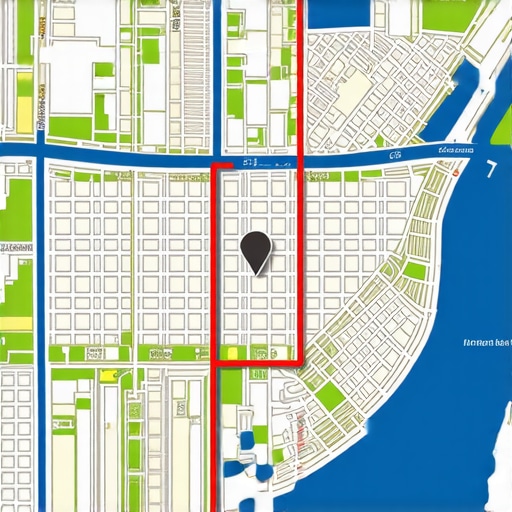
How We Tricked the Radius Filter to Show Maps Results Across the Whole City
You’ve spent months optimizing your website. You’ve gathered dozens of five-star reviews. You’ve polished your photos and posted weekly updates. Yet, when you drive just three blocks away from your office and search for your primary service, your business vanishes from the Google Map Pack. It’s as if an invisible wall surrounds your location, trapping your visibility within a tiny, frustrating radius. This is the “Invisible Wall” problem, technically known as the proximity filter or radius lock.
For most local business owners – whether you are a plumber in a suburb or a personal injury lawyer in a downtown high-rise – the proximity filter is the single greatest hurdle to growth. In cities with populations of 200,000 or more, Google’s algorithm often limits visibility to a mere 2-3 mile radius. This is done to ensure users find the most “convenient” option, but it unfairly penalizes high-authority businesses that serve the entire city. To break through, you need a sophisticated google business profile seo strategy that doesn’t just play by the rules but actively manipulates the signals Google uses to define your “territory.”
I am Fahed Awan, and I have spent years helping local businesses expand their digital footprint. In this guide, I’m going to show you exactly how we “trick” the radius filter. We aren’t using “black hat” hacks that will get you banned; instead, we are leveraging the three pillars of local search – Proximity, Relevance, and Prominence – to make your business so authoritative that Google is forced to show your pin across the entire city, even when a competitor is physically closer to the searcher. If you’ve been wondering why your business disappears when customers walk one block away, this is the blueprint you’ve been waiting for.
Understanding the Radius-Lock Algorithm: Why Google Limits Your Reach
To bypass the filter, you must first understand why it exists. Google’s primary goal is user satisfaction. If someone searches for “coffee shop,” Google assumes they want a latte right now, not a 20-minute drive away. Consequently, the radius lock for high-frequency, low-cost businesses is incredibly tight. However, for high-ticket services like HVAC repair, roofing, or legal counsel, the “expected” radius is naturally wider. Google understands that a customer is willing to wait for a specialist.
The problem arises when the algorithm applies a “hyper-local” filter to service-based businesses that actually cover 50-mile radiuses. The algorithm balances three factors:
- Proximity: How close is the business to the searcher?
- Relevance: Does the business offer exactly what the user is looking for?
- Prominence: How important or well-known is the business in the local area?
The secret to city-wide ranking lies in Signal Overpowering. We cannot change the searcher’s location (Proximity), but we can amplify Relevance and Prominence to such an extreme degree that they outweigh the Proximity factor. When your google business profile seo is firing on all cylinders, Google’s algorithm decides that your business is a “better” result for the user than the mediocre shop across the street. You can learn more about how to google business profile seo effectively by utilizing tools that measure these specific authority signals.
In competitive markets, the proximity filter is most aggressive. If you are in a city of 200,000+ people, Google’s “Vicinity” update (released in late 2021) likely shrunk your reach. To fight back, we must move beyond basic NAP (Name, Address, Phone) consistency and start building technical infrastructure that screams “City Authority.”
The Technical Infrastructure: Site & GBP Synergy
Most SEOs treat the Google Business Profile (GBP) and the website as two separate entities. This is a mistake. To trick the radius filter, your website must act as the “Local Knowledge Base” that feeds the Map Pack. Google uses your website’s content to justify showing your Map pin for searches far from your physical office.
Hyper-Local Geo-Pages (City Landing Pages)
If you want to rank in a neighborhood ten miles away, you need a page on your site dedicated to that neighborhood. But don’t just create thin “service in [City]” pages. These pages must be “Geo-relevant.” This means including:
- Embedded Google Maps of the specific neighborhood.
- Descriptions of local landmarks or transit routes near that area.
- Customer reviews specifically from residents in that zip code.
- Internal links to other relevant service pages on your site.
Service Menu Optimization
Google’s “Services” section within the GBP dashboard is often overlooked. We use this to mirror the technical service pages on the website. If your website has a deep-dive page on “Emergency Pipe Burst Repair,” your GBP should have a corresponding service item with a detailed description. This creates a “Relevance Loop.” When a user searches for a specific long-tail keyword in a distant part of the city, Google finds the match on your site, sees the corresponding service on your GBP, and feels confident expanding your radius to show your listing.
Often, businesses fail to rank because of simple categorization errors. Ensure you haven’t fallen for the business category mistake that pushes your pin to the second page. Your primary category must perfectly align with your most profitable, city-wide service.
The Role of Local Business Schema
Schema markup is the language of search engines. By using advanced LocalBusiness Schema, you can explicitly tell Google which neighborhoods you serve. We use the hasMap, areaServed, and serviceArea properties to define our boundaries. This technical “handshake” is essential. In fact, local business schema fixes the connection between your site and the map, ensuring that every piece of authority your website earns is credited to your Google Maps pin.
Manipulating Behavioral Signals: The “Prominence” Pillar
If Relevance is about what you say, Prominence is about what others do. Google tracks how users interact with your listing. If people from all over the city are searching for your brand name or requesting driving directions to your office, Google realizes your business is a “destination.” This is the strongest signal you can send to break the radius lock.
Driving Direction Requests
When a user opens Google Maps and clicks “Directions” to your business from a location 5 miles away, it sends a massive signal to the algorithm. It tells Google: “This business is worth the drive.” We encourage this naturally by asking customers in different parts of the city to check in or find us on Maps. Over time, a cluster of direction requests from a specific zip code will “pull” your ranking into that area, turning a red geogrid node green.
Brand + City Searches
Generic searches like “plumber near me” are heavily filtered by proximity. However, searches for “Awan Plumbing Houston” are not. We focus on building brand awareness so that users search for the brand specifically. When Google sees a high volume of brand searches paired with city modifiers, it associates your “Entity” with the entire city rather than just your street address. This is where using the right local seo tools becomes vital to track which keywords are driving your brand’s prominence.
CTR (Click-Through Rate) and Engagement
Your listing needs to be “sticky.” If your listing appears at #3 and everyone clicks it instead of #1 and #2, Google will eventually swap the positions. We optimize for CTR by using high-quality, “real-world” photos – not stock photography. Photos of your team in front of local landmarks are particularly effective at signaling local relevance. We also use the GBP “Q&A” section to seed common questions that include neighborhood names, further anchoring the business to various parts of the city.
Interestingly, data from BlackHatWorld and other SEO forums suggests that even profiles with zero reviews can sometimes dominate a map pack. This usually happens because those profiles are triggering high engagement or “suggested edits” that align perfectly with search intent, proving that behavioral signals can sometimes outweigh established authority.
Geogrid Tracking: Visualizing the Invisible Walls
You cannot fix what you cannot see. Traditional rank trackers that give you a single “average position” for a city are useless for google business profile seo. To break the radius filter, you need a visual representation of your performance across a coordinate grid.
Using a google maps rank tracker allows you to see a geogrid heatmap. Each node on the grid represents a search performed at that specific latitude and longitude.
- Green Nodes (1-3): You are in the Map Pack.
- Yellow/Orange Nodes (4-10): You are close, but filtered out.
- Red Nodes (11+): You are invisible in this area.
When we look at a geogrid, we look for “Proximity Gaps.” If you are ranking #1 in a circle around your office but suddenly drop to #15 just across a highway or a river, that is a “Hard Filter.” We then target that specific area with geo-tagged photos, local citations from businesses in that specific zip code, and neighborhood-specific content on our blog. This surgical approach is how we systematically turn red nodes green. To see how this works in practice, read our guide on how geogrid maps tracking can revolutionize your local rankings.
The “2026 Strategy”: Future-Proofing Your Radius
The world of local search is changing rapidly. As we look toward the future, the 2026 Google Maps SEO update is expected to lean even more heavily on AI-driven “Entity Authority.” Google will move away from simple keyword matching and toward understanding the “Real World Entity” of your business.
To stay ahead of these changes, you must focus on building a “moat” around your business. This involves:
- AI-Ready Content: Writing content that answers the “Why” and “How” of your services, which AI filters use to determine expertise.
- Omnichannel Presence: Having a presence on Apple Maps, Bing Places, and local directories that all reinforce the same entity data.
- Video Evidence: Google is increasingly indexing video content within local results. Short clips of your team working in different parts of the city provide “proof of service” that the algorithm can’t ignore.
By implementing these 7 geogrid tracking tactics to beat 2026 AI map filters, you ensure that your radius expansion isn’t just a temporary “trick,” but a permanent shift in how Google perceives your business’s reach.
The Power of Service Area Businesses (SABs) vs. Physical Locations
There is a common misconception that Service Area Businesses (those that hide their address) have a harder time ranking city-wide. In reality, the same rules of Relevance and Prominence apply. While a physical storefront gets a small “Proximity Boost” for people standing right outside, an SAB can actually have a more flexible radius if they correctly define their service areas in the GBP dashboard and back it up with location-specific project galleries on their website.
In cities with 200,000+ people, the “200,000 Population Rule” often kicks in, where the proximity filter becomes incredibly aggressive. In these scenarios, whether you have a storefront or not, you must rely on your website’s authority to “pull” your pin across the city. This is why we emphasize the synergy between your site and your profile so heavily. You need to use a rank google business profile strategy that accounts for the competition levels in your specific niche.
Action Plan: How to Start Expanding Your Radius Today
Tricking the radius filter isn’t about finding a magic button; it’s about building a dominant local entity that Google cannot ignore. If you are ready to break through the invisible walls holding your business back, follow this step-by-step action plan:
- Audit Your Current Reach: Use a google business profile audit tool to identify where your rankings currently drop off. Look for the “Red Nodes” on your geogrid.
- Strengthen the Link: Ensure your Local Business Schema is perfectly implemented and that your GBP “Services” match your website’s service pages exactly.
- Hyper-Localize Your Site: Create three new “Geo-pages” for the neighborhoods where you currently have “Yellow” or “Orange” rankings. Include local maps, landmarks, and reviews.
- Trigger Behavioral Signals: Start a campaign to encourage customers in your target expansion areas to search for your brand and request directions.
- Monitor and Iterate: Check your geogrid every two weeks. As nodes turn from red to yellow, double down on content for those specific areas.
The proximity filter is designed to keep local search “local,” but for the ambitious business owner, it’s simply a barrier waiting to be bypassed. By focusing on the “Infrastructure” of your online presence and the “Signals” of your real-world authority, you can ensure that when someone in your city searches for what you do, they find *you* – no matter how many miles away you are.
Expanding your reach is a marathon, not a sprint. But with the right local seo software and a commitment to technical excellence, you can turn your neighborhood business into a city-wide powerhouse. Don’t let an algorithm dictate your growth. Take control of your signals, overpower proximity, and claim the entire city as your territory.