
5 Map Tracking Errors That Make Your Business Look Invisible to Local Customers
You open your laptop inside your office, type your primary service into Google, and there you are – Number 1 in the local Map Pack. You feel a sense of accomplishment. But then, you drive two blocks down the street to the local coffee shop, perform the same search, and your business is nowhere to be found. It is as if an invisible wall has been erected around your storefront, blocking your visibility the moment you step outside your immediate property line.
This is the “Invisible Wall” phenomenon, and in 2026, it is more prevalent than ever. As a Local SEO and Google Business Profile specialist with over five years of experience, I have audited thousands of profiles for contractors, plumbers, and multi-location brands. What I have discovered is a hard truth: traditional tracking is lying to you. While you might think you are winning the google business profile seo game, “Ghost Pins,” AI-driven search hijacking, and proximity shrinkage are quietly making your business invisible to the very customers you are trying to reach.
The local search landscape has shifted. We are no longer just fighting for keywords; we are fighting for “Answer Engine Optimization” (AEO) and spatial relevance. My name is Maaz Saleem, and in this guide, I will break down the five critical map tracking errors that are killing your rankings and explain how to fix them using advanced local seo tools and strategic technical pivots.
The State of Local Search in 2026: Proximity, Relevance, and Prominence
Before diving into the errors, we must understand the three pillars Google uses to rank local businesses: Proximity, Relevance, and Prominence. While these have been the core of the algorithm for years, the way Google calculates them has changed. In 2026, “proximity shrinkage” is the new silent killer. Google has narrowed the search radius significantly to prioritize ultra-local results, meaning a business that once dominated a five-mile radius might now only be visible within a one-mile radius unless their profile is perfectly optimized. If your google maps rank tracker isn’t accounting for this shrinkage, you are essentially flying blind.
Error #1: The “Ghost Pin” & Competitor Pin Displacement Scams
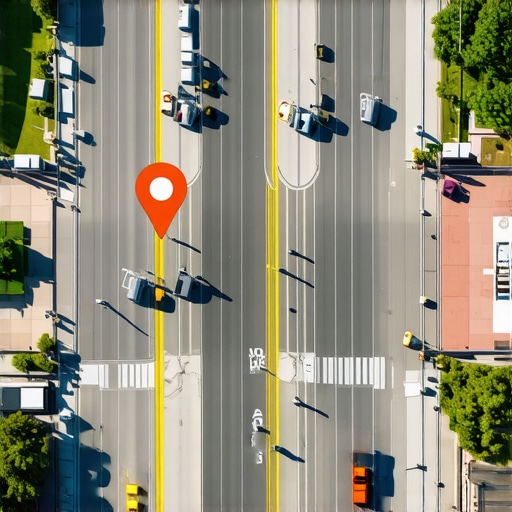
One of the most insidious ways a business becomes invisible is through the “Ghost Pin” phenomenon. This often occurs due to a “Suggest an Edit” exploit. Competitors or malicious actors can suggest an edit to Google Maps, claiming your business location is slightly different than it actually is. They might move your pin 100 yards away into a nearby park, a residential cul-de-sac, or an industrial zone.
On the surface, your dashboard might still show your correct address, but the map pin – the actual coordinate Google uses for proximity calculations – has moved. This triggers a catastrophic proximity failure. If your pin is even 50 feet off its mark in a dense urban environment, you can lose the “Near Me” boost for an entire neighborhood. This is often referred to as the “Google Map Pin Exploit,” and it leads to massive, unexplained drops in local rankings.
To combat this, you need a robust google business profile audit tool that monitors pin stability in real-time. If you don’t verify your coordinates frequently, you might find that your map pin fails the proximity test in high-traffic neighborhoods, leaving you invisible to high-intent searchers. You must ensure that your latitude and longitude are locked and that any unauthorized “Suggest an Edit” notifications are addressed immediately. Using a tool like SEO Viper Tools allows you to perform a deep-dive audit to ensure your pin is exactly where it should be.
Error #2: Geogrid Inaccuracy & The “Green Mirage”
Many business owners and SEO professionals rely on geogrid tracking to visualize their rankings. You see a grid of green circles with “1s” and “2s,” and you assume you are dominating the market. This is what I call the “Green Mirage.”
The error here is twofold. First, many gmb seo tools track rankings from a single data center or a static IP address, which does not reflect how a real human moving through a city experiences search results. Second, these tools often fail to account for “Search Distance” filters. In 2026, Google’s algorithm is highly sensitive to the user’s actual movement speed and direction. If a tracking tool isn’t simulating a mobile device with real-world GPS variance, the data it returns is effectively useless.
Furthermore, in urban areas, we see “High-Rise Signal Drift.” In cities like New York or Chicago, GPS signals bounce off glass buildings, causing Google to perceive a user’s location slightly differently than where they actually stand. If your google maps ranking service doesn’t account for this noise, you might see “Green” on your report while actual customers see your competitors. This is why understanding 3 Signs Your GMB Software is Ignoring Real Search Distance is a critical step for any business owner seeing a disconnect between their ranking reports and their actual phone call volume. To get an accurate picture, you need to rank higher on google maps by using tools that simulate multi-point, mobile-first requests.
Error #3: Technical Link Rot & Broken GBP Redirects
While most people focus on reviews and photos, the technical health of the links attached to your Google Business Profile is often neglected. Broken links – specifically 404 errors, 403 forbidden errors, or improper 302 temporary redirects – are “silent killers” of local authority.
Research from Rio SEO has indicated that nearly 40% of local ranking issues stem from “Technical Link Rot.” If your “Website” button or your “Appointment” link leads to a page that has a slow response time or a broken redirect chain, Google’s crawler will de-prioritize your profile in the Map Pack. Google wants to provide a seamless user experience; a broken link is a signal that your business may not be operational or professional.
To fix this, you should use professional local seo tools to audit every URL associated with your profile. This includes tracking the UTM parameters you use for google business profile optimization. If your UTM tracking is set up incorrectly, it can sometimes cause redirect loops that confuse both the user and the Google bot. By using the google business profile audit tool provided by SEO Viper Tools, you can identify these technical bottlenecks before they tank your prominence score. Remember, a clean technical foundation is the prerequisite for any gmb ranking service to be effective.
Error #4: AI Search Hijacking & Profile Overwrites
As we move deeper into 2026, Google’s Gemini AI has become the primary interface for local discovery. This has introduced a new error: AI Search Hijacking. Google’s AI doesn’t just look at your GBP; it scrapes the entire web – third-party directories, news articles, social media mentions, and even your competitors’ websites – to “verify” your data.
If there is a conflict between your official profile and what the AI finds elsewhere, the AI may “overwrite” your business data in the search results or, worse, hide your pin entirely because it deems your information “unreliable.” This is especially common for businesses that haven’t optimized for “Zero-Click” searches. If a user asks Gemini, “Who is the best plumber near me?” and your profile doesn’t have the structured data or the “Answer Engine” relevance to back it up, you won’t even appear in the AI Overview, regardless of how many 5-star reviews you have.
You must sync your multi-source location data to prevent AI from hiding your pin. It is essential to understand how the 2026 Google Maps SEO Update will change local search forever. You are no longer just ranking for a keyword; you are ranking for a “concept” that the AI can trust. This requires a shift from keyword stuffing to comprehensive data consistency across the entire digital ecosystem. Ensuring your business is mentioned in local news and high-authority directories is now a core part of google business profile seo.
Error #5: Proximity Gaps in Service Area Businesses (SABs)
For service-based businesses like roofers, electricians, and landscapers, the “Invisible Wall” is often self-inflicted. Many SABs choose to hide their address to protect their privacy, which is allowed by Google. However, this often creates a “Proximity Gap.” Without a physical point of reference, Google struggles to assign “Hyperlocal Authority” to the business outside of the immediate verification zone.
The error here is failing to build location-specific relevance in the neighborhoods you serve. If you are a plumber based in one suburb but you want to rank in the neighboring city, simply listing that city in your service area isn’t enough. You need to prove to Google that you are active in those areas through geo-tagged photos, local check-ins, and neighborhood-specific landing pages.
If you don’t address these gaps, you will find “blind spots” in your map coverage where your competitors – who might be further away but have better hyperlocal signals – are stealing your leads. To identify these gaps, you should stop map blind spots with 4 geogrid tracking accuracy checks. By using cutting-edge geogrid tracking tools, you can see exactly where your visibility drops off and take steps to increase google business profile visibility in those specific zones. This is the difference between a struggling contractor and one who dominates their entire metropolitan area.
Conclusion: Reclaiming Your Visibility
Invisibility in the Google Map Pack is rarely a result of a single factor; it is a data problem. Whether it is a malicious “Ghost Pin,” an inaccurate geogrid, technical link rot, AI overwriting your authority, or proximity gaps in your service area, the solution remains the same: better data and better tools.
In 2026, you cannot afford to rely on outdated SEO tactics. You need to rank google business profile assets by treating them as technical entities, not just static listings. Perform a comprehensive audit, monitor your pin daily, and ensure your links are pristine.
Don’t let your business stay invisible. The customers are there, searching for you right now – they just need to be able to see you. Use SEO Viper Tools to reclaim your spot in the 3-pack today and break through the invisible walls holding your business back. With the right strategy and a commitment to technical excellence, you can rank higher on google maps and ensure your business is the first thing local customers see.